

Buying office seat cushions for employees starts with a practical question: will the cushion work with the chairs, desks, and people already in your workplace?
A sample may feel comfortable during a brief demonstration, but a purchasing decision needs more context. Employees may use different chair models, move between shared desks, or prefer different seating firmness. HR, facilities, and procurement teams need a process that turns these differences into useful purchasing information.
This guide explains how to check workstation fit, organize an employee trial, and decide where a cushion belongs in a workplace seating program.
1. Define the Workplace Need Before Choosing a Cushion
Start with the intended use. Are you evaluating an optional accessory for assigned desks, a portable cushion for hybrid workers, or a shared seating arrangement in a support center?
Record the chair models, approximate number of interested users, typical desk tasks, and who will manage the trial. Check whether the existing chairs are in serviceable condition and whether employees understand their adjustment controls. A damaged chair or a poorly arranged workstation requires its own attention.
Set a specific purchasing objective, such as identifying which chair-and-cushion combinations employees find acceptable. Avoid assuming that every employee needs the same accessory or promising a productivity improvement before evidence exists.
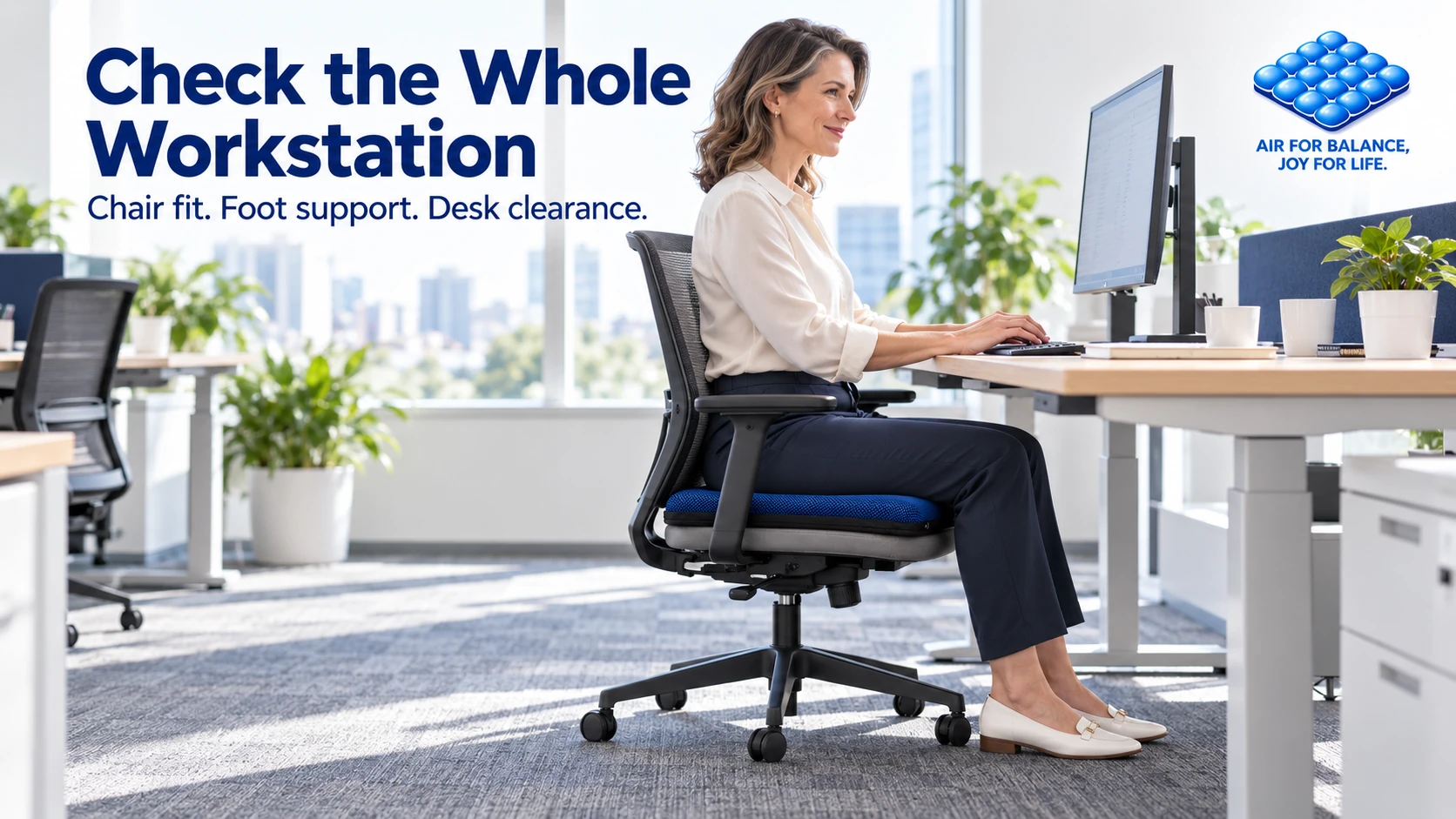
2. Check the Whole Workstation With the Cushion in Place
A cushion adds material between the employee and the chair. Its effect on seated height and usable seat depth should be checked with the person actually seated.
OSHA’s computer workstation chair guidance recommends adjusting the chair together with the desk, keyboard, and monitor. It also emphasizes supported feet and a backrest that supports the user.
During the sample check, confirm that:
- Feet remain supported by the floor or a suitable footrest.
- The employee can use the backrest without sliding forward.
- The seat edge does not press against the backs of the knees.
- Thighs have clearance beneath the desk.
- Keyboard and mouse access does not require raised shoulders or awkward reaching.
- The cushion remains appropriately positioned during normal seated movement.
OSHA’s workstation evaluation checklist provides a broader reference for these checks. If the setup cannot be adjusted to fit the employee, exclude that combination from the trial and review another option.
3. Make an Adjustable Air Cushion Easy to Use
When considering an adjustable air seat cushion, evaluate the adjustment process as carefully as the initial feel.
Ask the supplier to demonstrate inflation, deflation, placement, and care using the exact sample under review. Have employees repeat the procedure themselves. Record whether they can find the controls, make a small adjustment, and return to a preferred setting without assistance.
Do not assume that maximum inflation is the intended setting. Follow the product instructions and assess fit after each adjustment. If employees repeatedly need help, include that support requirement in the purchasing decision.
Keep a short setup card with the sample. A useful card identifies the product, explains the approved adjustment steps, and names the person to contact with a problem.
4. Run a Small Trial With Comparable Feedback
Choose volunteers who represent the actual chairs and work patterns involved. A successful trial on one chair model should not automatically approve every chair in the office.
For example, a team could test a small sample over five normal working days, recording observations at setup and at the end of the trial. This is a suggested purchasing workflow, not a validated ergonomic test or a universal trial duration.
Before adding the cushion, record the current chair model and basic seating preferences. During the trial, ask the same short questions at comparable points in the working day:
| Trial question | Record | Purchasing implication |
|---|---|---|
| Does the cushion fit this chair and workstation? | Pass, adjustment needed, or unsuitable | Approve only the combinations that fit |
| Can the employee adjust it independently? | Yes, or assistance needed | Improve instructions or reconsider suitability |
| Does it stay in the intended position? | Stable, occasional movement, or repeated movement | Review placement and compatibility |
| Is the seating feel acceptable? | Less comfortable, similar, or more comfortable than the starting setup | Preserve individual preference in the decision |
| Would the employee choose to keep using it? | Yes, no, or uncertain, with a short reason | Estimate likely adoption |
Record any changes to the chair or desk during the trial so the results have context. If the sample causes discomfort, instability, or interference with normal workstation use, stop that trial and review the setup.
Collect product feedback rather than medical histories. Handle individual accommodation needs through the organization’s established process.

5. Decide How Shared Desks Will Be Managed
Assigned and shared desks require different arrangements. With an individually issued cushion, ownership and preferred adjustment can be easier to track. With a shared cushion, the next user may need to check placement and readjust it.
Before ordering, decide whether cushions stay with employees or workstations. Assign responsibility for cleaning, storage, inspection, and replacement. Confirm the supplier’s care instructions for the cover and cushion separately, including any drying requirements before reuse.
Do not infer disinfectant compatibility or machine washability from appearance. Ask for written instructions for the exact materials supplied. Where a workplace has specific hygiene requirements, verify that the proposed cleaning process is compatible before approving the sample.
6. Turn Trial Results Into a Purchasing Specification
Summarize results by chair model and work setting, rather than relying on one office-wide average. A sample may be suitable for one group and unsuitable for another.
Document the approved sample version, dimensions, cover material, adjustment method, care instructions, and packaging requirements. Ask suppliers to confirm current availability, minimum order quantities, lead times, replacement arrangements, and how production goods will match the approved sample.
Compare the practical cost of the program, including onboarding, cleaning, storage, and replacement. A lower unit price is only one part of that calculation.
Use AJ’s B2B sample evaluation checklist to organize the approval record. The result can be a targeted purchase for suitable users and chairs, with a separate review for other workstations.
Frequently Asked Questions
Should every employee receive the same office seat cushion?
Base the decision on fit, preference, and workplace requirements. An approved sample may suit some chair-and-user combinations better than others. Keep a route for employees to decline the accessory or request a different workstation review.
Does a seat cushion replace an adjustable office chair?
Treat it as an accessory within the workstation. The chair, backrest, work surface, and equipment placement still need to fit the employee. A cushion does not remove the need to address damaged or unsuitable seating.
Should employees remain seated longer when using a cushion?
A cushion is not a reason to extend uninterrupted sitting. OSHA’s working position guidance encourages changing position periodically. Keep opportunities for movement and task variation within the working day.
Plan Your Workplace Sample Evaluation
Preparing a corporate seating project? Contact AJ about your workplace sample requirements with your chair types, intended users, approximate quantity, cleaning requirements, and trial objectives. Clear information makes it easier to discuss which samples to evaluate and what needs checking before an order.
For organizations managing several work environments, continue with our guides to fleet truck seat cushion procurement and forklift seat cushions for warehouse teams. Each setting needs its own fit and operating assessment.