
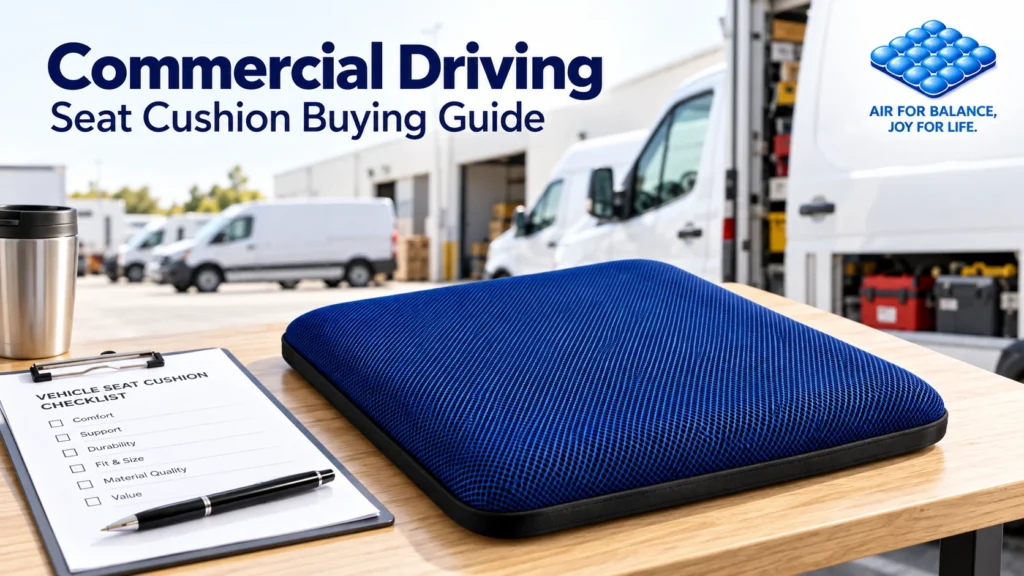
Choosing commercial driver seat cushions starts with the working day: which vehicle a person drives, how often they leave the seat, and whether someone else uses that vehicle tomorrow.
A cushion that feels comfortable during a showroom check may still need repeated repositioning on a delivery route. A sample accepted in one van should not automatically become the standard for every vehicle in the business.
For delivery operators, field-service teams and passenger-transport businesses, the useful purchasing question is: Which cushion configuration works for which driver and seat—and can that setup be repeated?
This guide turns that question into a practical sample-evaluation process.
1. Define the Driving Pattern Before Requesting Samples
Group vehicles by actual use rather than job title alone.
| Work pattern | What to include in the trial |
|---|---|
| Local deliveries | Frequent exits, returns to the seat and short driving periods |
| Field service | Longer journeys between sites, work clothing and vehicle storage routines |
| Passenger transport | Different shift lengths and driver handovers |
| Shared vehicle pool | Different drivers, seat settings and cleaning responsibilities |
Record the vehicle model, model year and seat variant. Include replacement seats or existing seat covers in that record. Select representative combinations instead of testing one vehicle and assuming the result applies everywhere.
For wider purchasing-program planning, see our fleet truck seat cushion procurement guide.
2. Confirm Accessory Compatibility Before a Road Trial
Check the vehicle and seat manufacturer’s instructions before adding a cushion. Ask the manufacturer or a qualified fleet representative to resolve any uncertainty about accessory restrictions, seat-mounted equipment, occupant sensors or restraint-system compatibility for that specific vehicle.
Record the answer alongside the sample details. An unresolved compatibility question is a reason to pause that configuration, even when the driver likes the cushion.
Use only installation and retention methods permitted by the relevant manufacturers. Do not improvise straps, adhesives or modifications to make an unsuitable sample fit.
3. Complete a Parked Fit Check
CCOHS guidance on driving and ergonomics emphasizes adjusting the vehicle to the driver, including access to controls, visibility and sufficient space. Apply those principles when assessing the seating setup with a sample cushion.
With the vehicle safely parked, follow its adjustment instructions and check:
- Full pedal operation and comfortable access to steering and controls.
- Visibility through the windows and mirrors, and a clear view of instruments.
- Adequate headroom and appropriate contact with the seat backrest.
- Seat-belt and head-restraint positioning according to the vehicle instructions.
Repeat the check after changing the cushion setting. Reject a setup that compromises control access or restraint positioning. Make adjustments before driving, never while the vehicle is moving.
Treat the result as approval for the tested combination, not proof of universal vehicle compatibility.

4. Test Repeated Entry and Exit
For stop-and-go work, include several normal entry-and-exit cycles while the vehicle remains safely parked.
Observe whether the cushion shifts, folds at an edge or needs repositioning when the driver returns. Check that its controls remain accessible without catching on clothing or interfering with the seat’s controls. Record what happens rather than relying on a “non-slip” description alone.
Set an acceptance rule before the trial. For example: a sample requiring repositioning after each normal re-entry should return for review rather than proceed directly to a volume order.
If the problem cannot be resolved using approved setup instructions, test a different sample or exclude that seat configuration.
5. Run a Small, Consistent Route Trial
Begin with a limited pilot. Five normal working shifts can be a practical starting point for collecting feedback; this is a suggested purchasing workflow, not a certification test or proof of long-term performance.
Before the pilot, note the driver’s experience with the existing seat. During the pilot, use the same short questions each day:
- Was the starting setup easy to repeat?
- Did the cushion need repositioning after stops?
- Was the seating experience acceptable during typical driving periods?
- Were adjustment, handling and storage straightforward?
Collect responses only when safely parked or after the shift. Record unusual route or vehicle changes so they are not mistaken for a cushion effect.
A comfort trial does not establish crash protection, vibration reduction or medical benefits. Keep normal breaks and fatigue-management arrangements in place.
6. Use a Clear Sample Approval Record
Give each tested combination its own record. Avoid combining every driver’s response into one average that hides an unsuitable setup.
| Record field | What the buyer should capture |
|---|---|
| Vehicle and seat | Model, year, seat variant and existing cover |
| Sample identification | Product version and sample reference |
| Driver and work pattern | Anonymous driver code, route type and usual stops |
| Compatibility review | Manufacturer guidance checked; unresolved questions |
| Parked fit | Pass, review or reject, with the reason |
| Re-entry observations | Shifting, bunching or repositioning frequency |
| Trial feedback | Setup repeatability, comfort and handling observations |
| Decision | Approve, retest or reject for the named configuration |
Keep the approved sample reference with the purchase specification. Our B2B sample-evaluation checklist provides a broader framework for documenting appearance, materials and finish.

7. Plan Shared-Vehicle Handover and Upkeep
Decide whether cushions stay with vehicles or are assigned to individual drivers. Either approach needs a clear owner for inspection, cleaning and replacement requests.
If a cushion moves to another vehicle, repeat the compatibility and parked-fit checks. If another driver uses it, repeat the fit and adjustment checks for that person.
Follow the product’s care instructions. Confirm cover removal, cleaning products and drying requirements before creating a cleaning procedure. Do not assume that every cushion or cover can be machine-washed or disinfected in the same way.
For businesses buying across multiple departments, keep separate application records. A warehouse forklift trial and an office seating trial answer different fit and workflow questions.
Request Samples for Your Actual Vehicle Mix
When contacting AJ about wholesale samples, share your vehicle and seat types, typical work pattern, number of trial users and purchasing timeline. Ask which available sample is appropriate to evaluate and request its setup and care instructions.
Use the completed trial record to define the order: the accepted product version, approved configurations and any exclusions. This gives purchasing and operations teams a shared reference for rollout and reordering.
Frequently Asked Questions
Will one seat cushion fit every commercial vehicle?
Do not assume so. Check manufacturer guidance and evaluate each relevant seat configuration with its intended driver before expanding an order.
Should an adjustable air cushion be fully inflated?
Follow the product’s instructions and evaluate the setting with the driver seated. Maximum inflation should not be treated as an automatic comfort target.
Can drivers transfer a cushion between vehicles?
Only after checking compatibility and repeating the parked-fit assessment in the receiving vehicle. Approval for one setup does not cover every seat or driver.